Search This Blog

Showing posts with label Free Video Conference Software. Show all posts

Saturday, November 3, 2012

IPhone 5 video call Testing around the world

IPhone 5 Testing in many place in The World.


picture : pix-geeks.com

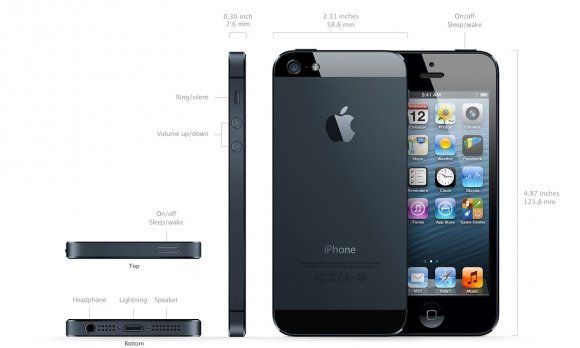
New IPhone 5 on sale in many country with IOS 6 OS. IPhone 5 and IPad can connect with Facetime video call,This Application had installed in Apple devices.They cann't video calling to Andriod Platform.IPhone 5

Monday, November 7, 2011

T-mobile release Bobsled Video call for andriod and iOS

T-mobile release Bobsled Video call for andriod and iOS


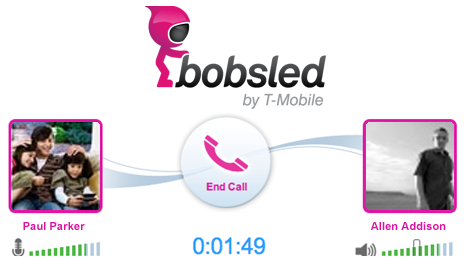
T - Mobile has launched a Facebook application that allows voice chat to a friend. It's called Bobsled (or more correctly, Bobsled by T - Mobile, it will remind you of the steps in the process every time) and it is at 88% (according to the study of them) for Facebook as. want to voice chat with the site. As one of the other 12%, I can not say with certainty that this check is what people think, but at least it looks integrated

Monday, October 17, 2011

Programs of the future FRING Video Calling for Android.


Programs of the future FRING Video Calling for Android.


Following the play the Video Calling on the phone, it is not difficult anymore. All you need is a camera next Android phone. Communications, it is easy Video Calling. From the video as a test FRING using Wi-Fi and 3G, which the video will be seen that the use of Internet, wireless and 3G network but the difference is not the FRING as Video Calling, similar to Skype, you can use. calls it. Recently the manufacturer has released a plug-in for Skype, then it will make your Android phone calls with PC Video Calling. FRING program can be found.

http://www.fring.com/android/


How to Start Google Hangout

How to Start Google Hangout


Thursday, August 18, 2011

Google Talk video with Android 2.3.4 Gingerbread


Google Talk video with Android 2.3.4 Gingerbread


Google Talk Video Chatting For Android ( Video Chat Invitation ) Now available on Samsung galaxy s2.
With The New Android Version Gingerbread ,that upgrade to Android 2.3.4 that'll bring video calling to Gtalk ( video call ability )
AndroidHD tested for you the quality between a computer and a Nexus s.
Inside the test were performed in WIFI and outdoor the test was in 3G.

With Google Talk, you can now video or voice chat with your friends, family and colleagues right from your Android phone, whether they're on their compatible Android tablet or phone, or using Gmail with Google Talk on their computer. You can make calls over a 3G or 4G data network (if your carrier supports it) to stay connected while you're on the go, or over Wi-Fi.

Google Talk with video and voice chat will gradually roll out to Nexus S devices in the next few weeks as part of the Android 2.3.4 over-the-air update and will be launching on other Android 2.3+ devices in the future.

Avec Google Talk, vous pouvez maintenant la vidéo ou le chat vocal avec vos amis, famille et collègues à partir de votre téléphone Android ( visioconférence) , qu'ils soient sur ​​leur tablette Android compatible ou par téléphone, ou d'utiliser Gmail avec Google Talk sur leur ordinateur. Vous pouvez faire des appels sur un réseau 3G ou 4G de données (si votre opérateur prend en charge) pour rester connecté pendant que vous êtes en déplacement ou en Wi-Fi.

Google Talk avec la vidéo et le chat vocal sera progressivement déployé dans d'appareils Nexus S dans les prochaines semaines dans le cadre de la mise à jour 2.3.4 Android sur les ondes et sera lancé sur d'autres appareils Android 2.3 + à l'avenir. ( samsung galaxy sII)

Et un merci particulier pour Hypnozprod pour le son
si vous souhaitez le contacter :
Mail : hypnozprod@gmail.com
Facebook : Florent Hypnoz
Web Site : http://www.hypnozprod.com/


Thursday, August 11, 2011

How to make video via Facebook Video Call

How to make video via Facebook Video Call


Earlier today, Facebook teamed up with Skype to launch video calling right within Facebook.
Facebook is trying to beat back a challenge from Google, which began beta-testing its own social video chat feature, Google+ Hangouts, last week.
The Facebook-Skype calls are one to one only, while Hangouts supports up to 10 people.
But Facebook has two big advantages. First -- and most important -- a lot of your friends are already on the service. Facebook has 750 million users. Google+ isn't even open to the public yet.
Second, Facebook claims the feature is so easy to use, even the least technical people on Facebook should be able to figure it out fast.
We checked it out for ourselves, and they're not lying. Here's how you do it.

Monday, June 6, 2011

How to Make Free Calls on iPad

How to Make Free Calls on iPad

iPad’s greatest attribute is it is much like iPhone, only bigger. Well, one iPhone feature that is seriously lacking with iPad is the ability to make phone calls.
The Whistle Phone app fixes this problem. Users are given not only the ability to make calls, but the ability to receive them, too.

Whistle Phone
To start, download the Whistle Phone app from the app store on your iPad. When the app opens, select Create a Whistle Account.

create whistle account

You are asked to provide registration information, which includes your name and email address. Click Continue when finished.
IMG_0006
Next, provide your gender, birth date and zip code. Click Continue.
IMG_0007
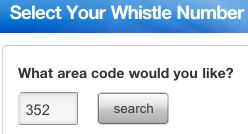
Choose an area code for your new Whistle Phone number and click Search. Not all area codes are available. If your chosen area code is not available, Whistle Phone will assign a temporary number to you until they do have a number available in your area code.


IMG_0008
Once you are assigned a number, you must verify your email address. Do this, then return to the app.
IMG_0009
To make calls, simply dial the number you wish to call from inside the app. You will hear a short advertisement, then the phone will ring.
IMG_0010
Using iPad’s built-in microphone and speakers works well with this app. We were able to make crystal-clear phone calls with no problem at all. If the advertisements are bothersome, you can pay to disable them.
When a phone call is received, your iPad starts making a ringing noise and the number calling is displaying on the screen. Like on iPhone, slide the bar to answer the call.

call

Overall, we were impressed by how easy it is to make phone calls with this app. We especially like having our own phone number—it is like turning our iPad into another cellular phone, since the service works on both WiFi and 3G. Whistle Phone is also available on iPhone.
Tuesday, April 19, 2011

Easy video call on Facebook

Easy video call on Facebook


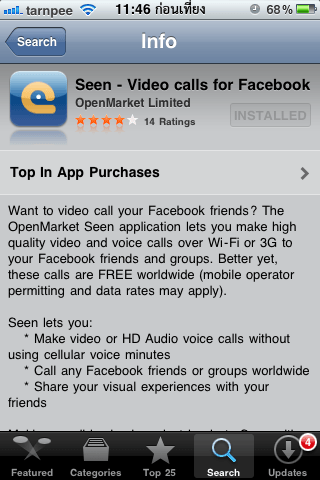
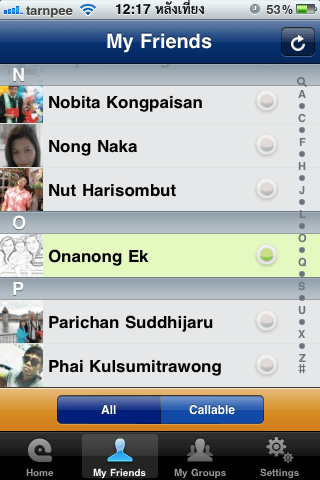
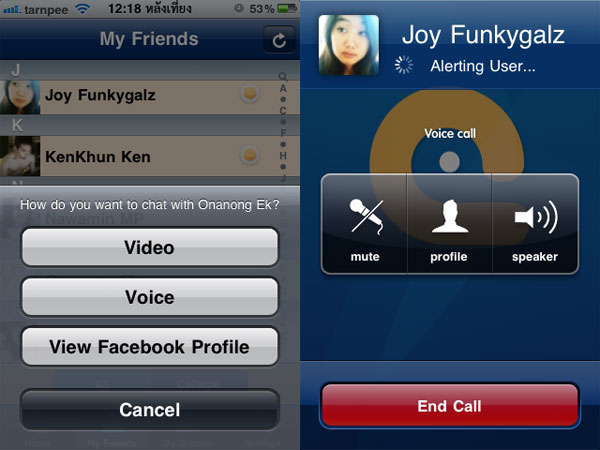
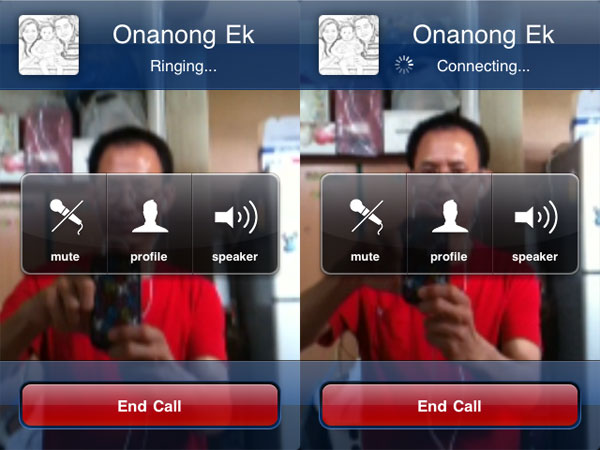
Seen is the application available for families who use facebook and i have installed only seen together.
As far as trial over wifi and 3G voice and video so well can not believe that's free and it has a good model.
The use of sound through the edge ais is the lack of any knowledge, but not good enough.

- For those who have friends on facebook and do not want to distribute telephone.
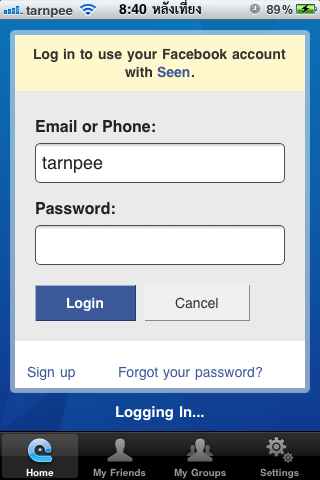
- Log in with a facebook account.
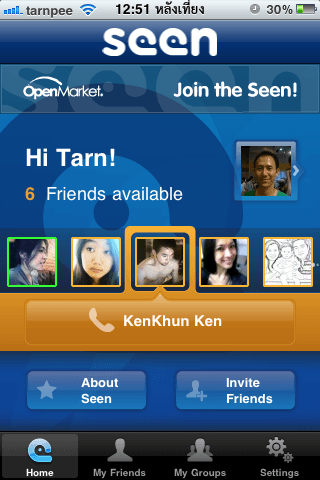
- To call each other by voice. Like a telephone.
- Talk face to face the eye called the video call or facetime.
- Sound and picture quality. Depending on the speed of the internet wifi or 3G.
- The edge is too slow to talk, especially to know Ernืng edge label true.
- If you do not log out when a friend calls up a pop up notice to accept or not.

- Only iPhone 3Gs, iPhone4, iPod Touch4, iPad 2 in addition to all this all right.
- Need iOs 4.1 or above.
- All seen that you Download and use free of charge with no conditions.


Step by Step to install


Wednesday, April 13, 2011

How to Record Skype Video Conference

Skype is one of the most popular free ways to chat, talk and video conference around the world. The video conferencing function is becoming more and more common as access to webcams and high-speed Internet has improved. But how to record a Skype video conference for later reference? There are two ways to do it, and both involve installing a free Skype plugin. In fact, it is surprisingly easy.

Instructions

1. Launch Skype and log in. You cannot install the required video conference recording plugin while offline. Set your status to "Invisible" if you wish not to be disturbed while installing the plugin.

 2. Click "Tools," "Extras," and "Get Extras" from the top menu bar in Skype. This opens the Extras Manager

 3. Type "record video" in the search box in the Extras Manager. Two plugins will appear: VodBurner Video Call Recorder and Supertintin Recorder for Skype. We will use the latter plugin.

4. Click the green button next to the Supertintin plugin to install it on your computer's hard drive.

5. Follow the installation wizard, choosing all the defaults for Supertintin. Plugin installation is now complete, and no restart is necessary. From now on, every time you start Skype, Supertintin will also start up in a separate window.

6. Click the red "Record" button whenever you are on a Skype video conference to record it to your hard drive.


Monday, April 11, 2011

Top 3 Free Video Conference Software

Top 3 Free Video Conference Software


Skype is so far the number 1 pick because it has a good balance between video and audio quality. However its fullscreen video quality could be better.

Video:  The video is realtime at about 30 frames per second. It is not jumpy but it is somewhat blurry at times.

Audio: The audio is very loud. The audio quality is also very good with very little to no feedback.

download : http://www.skype.com


Sightspeed has very good video quality at times. But the audio is not very good.

Video:  Sightspeed has the best video out of the programs reviewed. The video is realtime at about 25 frames per second. Sometimes the video has a ghosting effect for a few seconds. The video also pauses sometimes.

Audio: The audio is just ok. Sometimes it is choppy. At other times the audio gets very loud and then it goes very soft a few seconds later. There is also some audio feedback.

download : http://www.sightspeed.com/


ooVoo is a pretty nice video chat application where you can chat with more than one person at a time. However it does have some bugs.

Video: The video is realtime at about 30 frames per second. The video is very clear but it is not full screen capable. After clicking some maximize buttons it finally fills almost half the screen. It would be nice if it were bigger. Also, the video looks good, but about every 30 seconds there is alot of garbage pixels on the screen covering peoples faces, but the garbage disappeared after about 5 to 10 seconds.

Audio: The audio is very clear. It doesn't sound robotic. However, the audio is very quiet. I would give the audio a better rating, but it needs to be louder.

download : http://www.oovoo.com

LinkWithin

Related Posts Plugin for WordPress, Blogger...